Your next job. Your own branded paperwork. Try Essential free for seven days. No card required. Up to two engineers.
Start your free trial ↗How the trial worksFREE GAS INSTALLATION VOLUME CALCULATOR
Gas installation volume. Pipework and meter inputs together.
Essential’s independent IGEM/UP/1B Calculator brings gas installation-volume inputs and tightness-test readings into one workspace. The on-screen calculation is free, and you can use it without creating an account.
Open free IGEM/UP/1B Calculator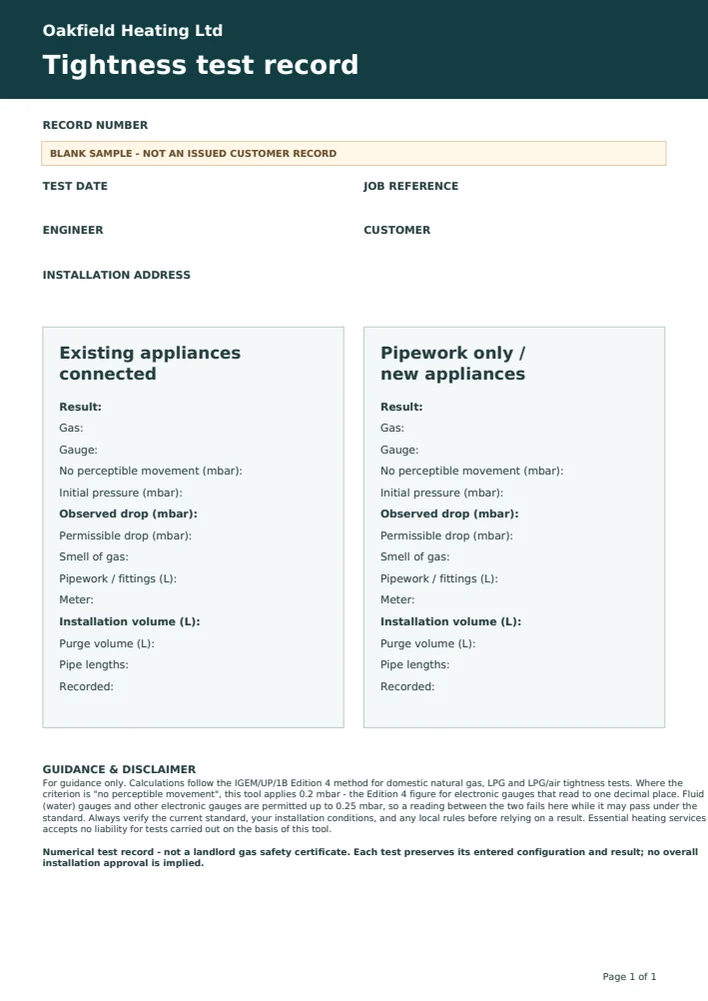
View a blank calculator report sample. Original A4 output; additional pages are included in the PDF where needed.
What you can record
- Available copper and steel sizes and pipe lengths
- Meter inputs and an installation-volume breakdown
- Inputs retained with supported saved IGEM calculator results
Build the installation from the available inputs
Add the available copper and steel pipe sizes and lengths, then select the meter included in the test. The calculator presents an installation-volume breakdown so you can inspect what contributes to the result.
Use the input labels and assumptions shown in the tool. The software cannot determine the actual pipework, equipment or test boundary from a website visit; those details must come from the installation and the engineer carrying out the work.
Volume and readings belong to the same job
After recording the installation inputs, choose the gas, pressure gauge and test configuration. The pressure-drop comparison uses those selections, so keep the configuration alongside the readings when reviewing the outcome.
Natural gas, LPG and LPG/air selections are available. The calculator includes appliances-connected and pipework test modes, and their readings can be retained together in a combined job record.
Save the inputs rather than just the final number
Create a free Essential account to save and reopen calculator results. The saved snapshot keeps the installation inputs, readings and test configuration together, helping you return to the information used for that job.
The Essential subscription includes numbered calculator reports and PDF downloads as well as the certificate modules. The standard report containing two tests is designed for one A4 sheet. There is no charge to use the on-screen calculator itself.
An independent IGEM/UP/1B tool
The calculator references IGEM/UP/1B and displays its assumptions and limits inside the tool. It does not reproduce or replace the full licensed standard, required procedures or the competent engineer’s judgement.
It is not affiliated with, endorsed by or approved by IGEM or Gas Safe Register. Read the current standard and equipment instructions applicable to the work before relying on a calculation.
Installation volume is not pipe sizing
This page describes the volume inputs in the IGEM/UP/1B tool. It is not a pipe-sizing or pressure-loss design calculator. Gas rate and heat input are separate calculations, available in Essential’s free gas rate calculator.
Before you choose
What can I do without paying?
Use the free calculators and save supported drafts or IGEM calculator results with a free account. Numbered customer documents and PDF/report downloads require the Essential package or an applicable access grant.
Where can I inspect the output?
Open the blank PDF sample on this page to see the Essential field layout. The engineer remains responsible for the work and the accuracy of the record.